Follow these steps to update the Ticket Helpdesk app installed in your team.
-
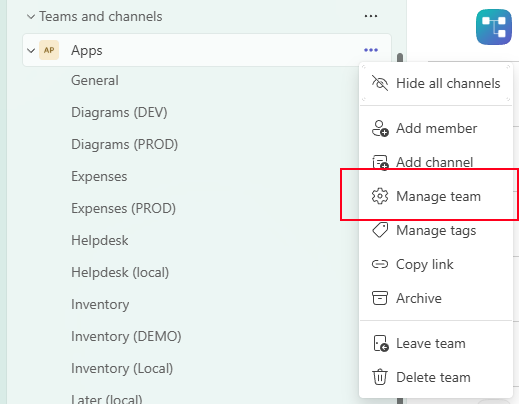
In Microsoft Teams, open the More options (...) menu next to the team where Ticket Helpdesk is installed and select Manage team.
-
Go to the Apps tab.

-
Find Ticket Helpdesk in the app list and click Update next to the app name. Follow any prompts in Teams to complete the update.

Please contact us if you have any questions or need help with the update.